Never Miss a Moment,
Anywhere in the World

Set reminders in any timezone and get notified on time — no manual conversion needed. Built for digital nomads, remote workers, and anyone living across time zones.

🌍 All Timezones
☁️ iCloud Sync
📍 Location-Based
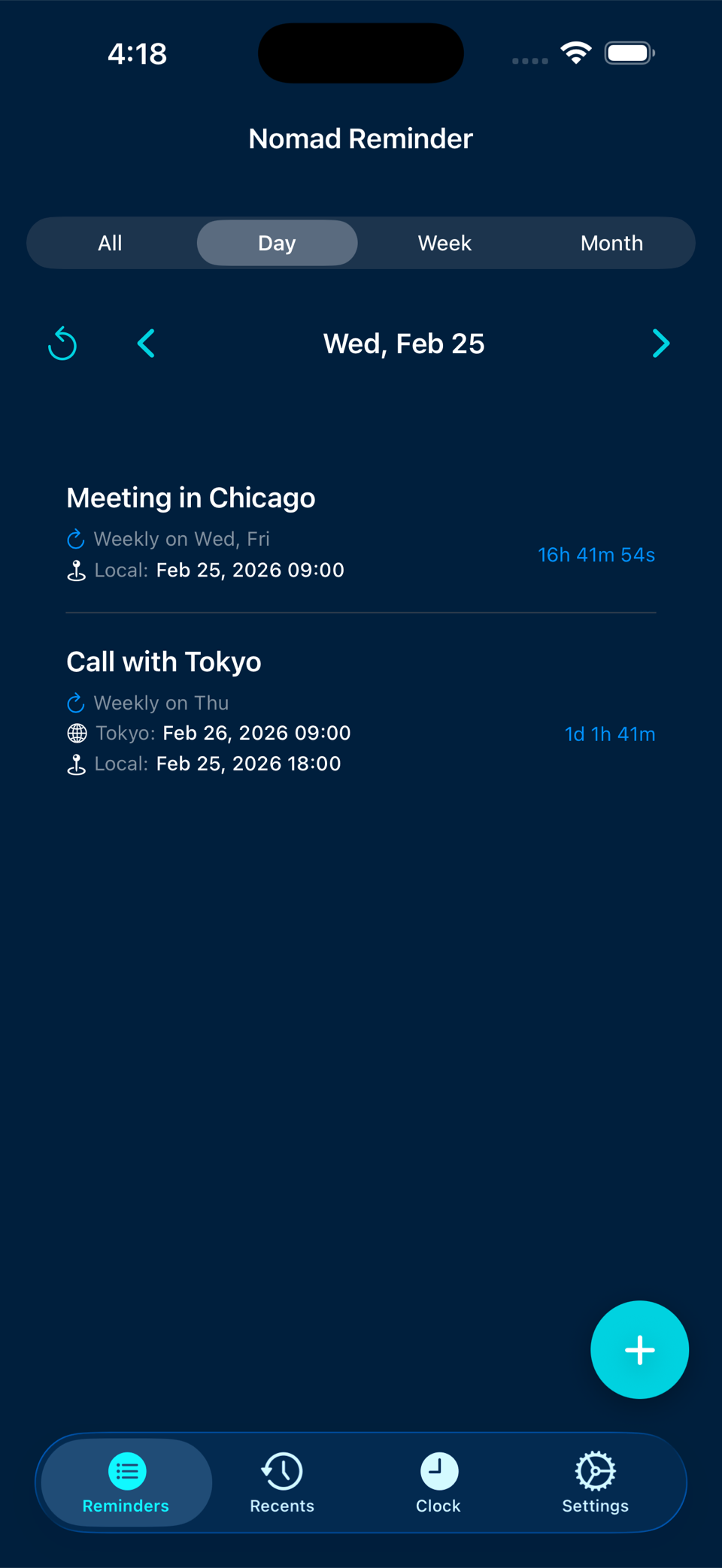
Nomad Reminder App Screenshot
🏙️
Meeting in Chicago 9:00 AM CST
🗼
Call with Tokyo 7:00 PM JST
Scroll to explore
Stop Doing Timezone Math

We've all been there. You have an important call at 9 AM in London, but you're in San Francisco. Is that 1 AM or 2 AM? Wait, is daylight saving time active? By the time you figure it out, you've already missed it.

24 Standard Timezones
100+ Timezone Variations
Potential Confusion

Everything You Need to Stay on Time

Powerful features designed for the digital nomad lifestyle.

⏱️

Precision Timing

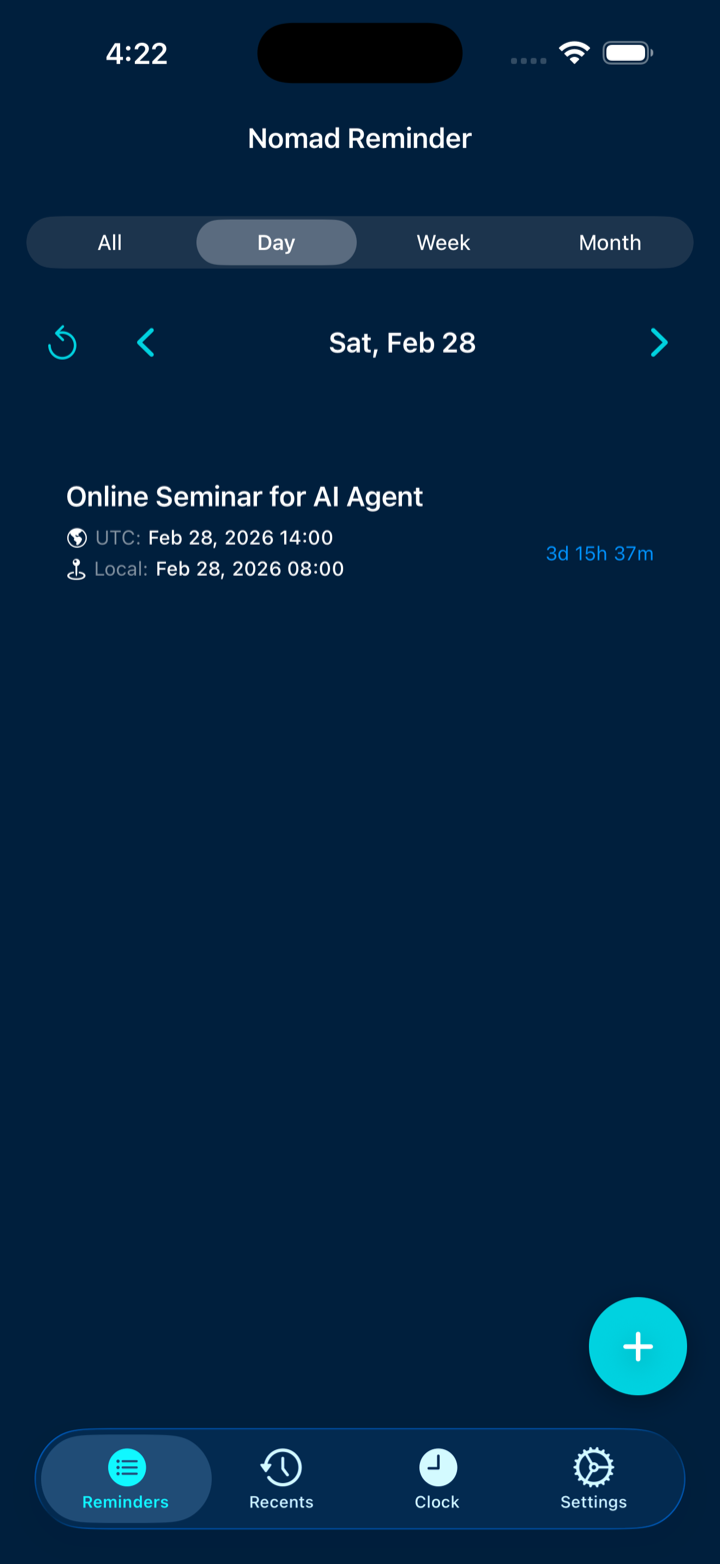
Set reminders down to the second with real-time countdown showing days, hours, minutes, and seconds.

🔔

Smart Notifications

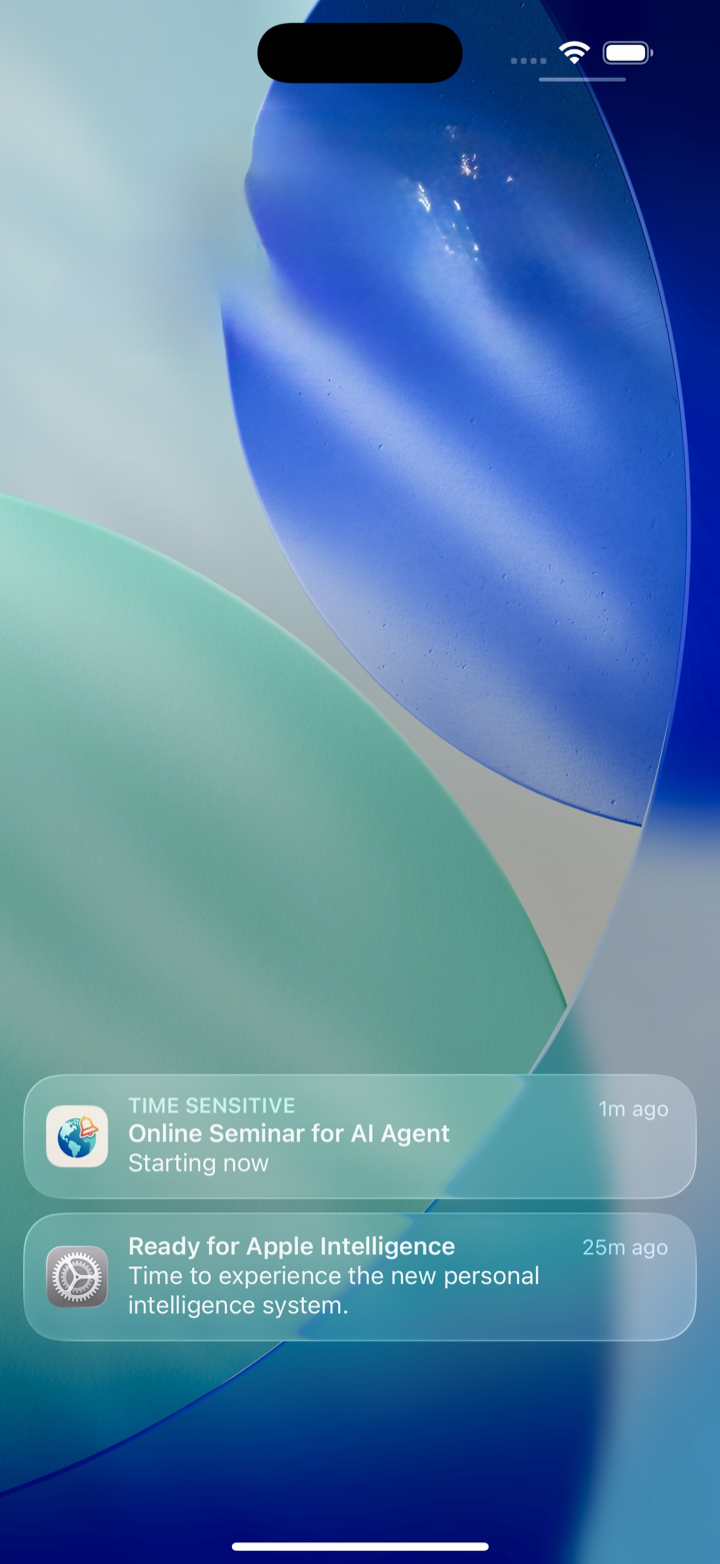
Get notified even when the app is closed. Snooze for 10 minutes or dismiss with a tap. Set early reminders from 5 minutes to 1 week ahead.

🔄

Recurring Reminders

Daily, weekly, monthly, or yearly — set it once and never worry about it again. Dates auto-adjust to match your pattern.

📍

Location-Based

Attach locations to reminders and get one-tap navigation when it's time. Works with Apple Maps, Google Maps, Waze, and more.

🕐

World Clock

Keep track of multiple timezones at a glance. Perfect for knowing when your team members or family are awake.

☁️

iCloud Sync

Your reminders sync automatically across all your Apple devices (iPhone, iPad, Mac). Works offline and syncs when connected.

📊

Smart Organization

View reminders by day, week, or month. Search your history, filter by date, and manage everything with ease.

Three Simple Steps

Getting started is easier than converting timezones manually.

1

Set Your Reminder

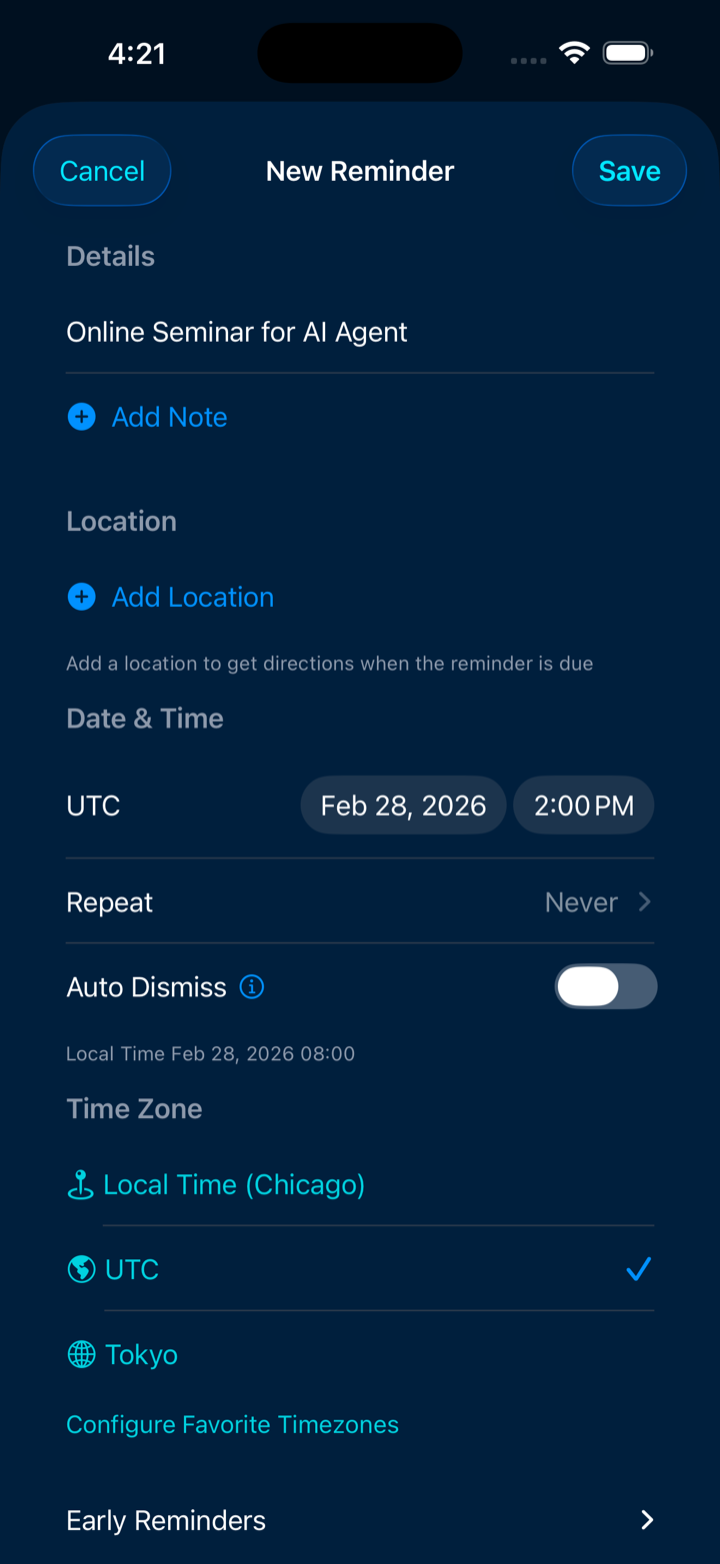
Enter your event details and select the timezone where the event is happening.

Create reminder
2

We Do the Math

Nomad Reminder automatically converts the time to your local timezone, handling daylight saving time and everything.

Automatic conversion
3

Get Notified on Time

Receive your notification exactly when you need it, regardless of where you are in the world.

Get notified

Perfect For

🌴

Digital Nomads

Work from Bali today, Lisbon tomorrow. Set reminders that follow you across timezones without missing a beat.

💼

Remote Workers

Never miss a meeting with colleagues in different timezones. Schedule calls in their working hours effortlessly.

👨‍👩‍👧

International Families

Stay connected with family across the globe. Set reminders to call at times that work for everyone.

🎮

Event Enthusiasts

Never miss a live stream, product launch, or online event no matter where in the world it's happening.

📈

Stock Traders

Track market openings and closings across global exchanges without manual timezone calculations.

🎓

Online Students

Keep up with classes, office hours, and deadlines from universities anywhere in the world.

Frequently Asked Questions

Yes! All your reminders are stored locally on your device. iCloud sync happens automatically when you're connected, but the app works perfectly offline.

Absolutely! Nomad Reminder automatically handles daylight saving time transitions for all timezones. You'll always be notified at the correct time.

Yes! With iCloud sync enabled, your reminders automatically sync across all your iPhone, iPad, and Mac devices signed into the same iCloud account.

Your reminders will still fire at the correct time! If you set a reminder for 9 AM Tokyo time, you'll be notified at that exact moment regardless of where you are in the world.

Your data stays on your device and in your personal iCloud account. We don't have access to your reminders, and we don't use any third-party analytics or tracking.

Yes! You can export all your reminders and history to a JSON file for backup or migration purposes. You can also import them back anytime.

Ready to Never Miss a Moment?

The essential timezone-aware reminder app for digital nomads is now available on the App Store!

Download on App Store
Requires iOS 17.0, macOS 14.0 or later iPhone, iPad & Mac